



AI Tools for Students
You can use AI tools to help with your learning. When you do, you need to follow the ICT Acceptable Use Policy.
- Always use your Dio account. Do your schoolwork in an approved AI tool, signed in with your Dio account.
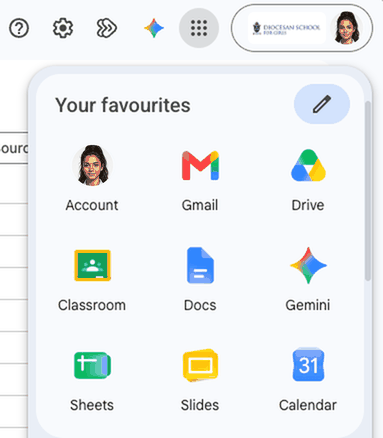
- You already have two: Microsoft Copilot and Google Gemini. Just sign in with your Dio account.
- Playlab is coming soon for Years 7 to 13.
Click a tool below to see how to get into it.
Never use your Dio email to sign up for a free AI account. Free AI tools use what you type to train their AI, and the school can't keep that information safe.
Why use the school's AI?
When you sign in to Gemini, Copilot or Playlab with your Dio account, your information is protected.
- 1What you type and upload is not used to train AI models.
- 2Your chats and files are covered by the school's privacy agreements with Google, Microsoft and Playlab.
Personal accounts are different
Free personal AI accounts don't have these protections, and what you type may be used to train the AI. For schoolwork, always use your Dio account.
Free personal AI accounts don't have these protections, and what you type may be used to train the AI. For schoolwork, always use your Dio account.
Using AI well
When you signed the Ko Tātou Agreement, you agreed to be a responsible digital citizen and to act with integrity. That includes how you use AI.
- 1Check what your teacher allows for each task.
- 2Be honest about when and how you've used AI.
- 3Keep your work, and other people's details, safe.
Need help? Ask your teacher or dean, or go to the IT Helpdesk.
Updated October 2026